Team settings
Team-wide configuration lives in your team's settings. Open the team switcher (your team name, top right) and choose Team settings.
The team page has multiple tabs in addition to the Settings (Team Members, Activity Log, Integrations, CCPA & Privacy and Administration).
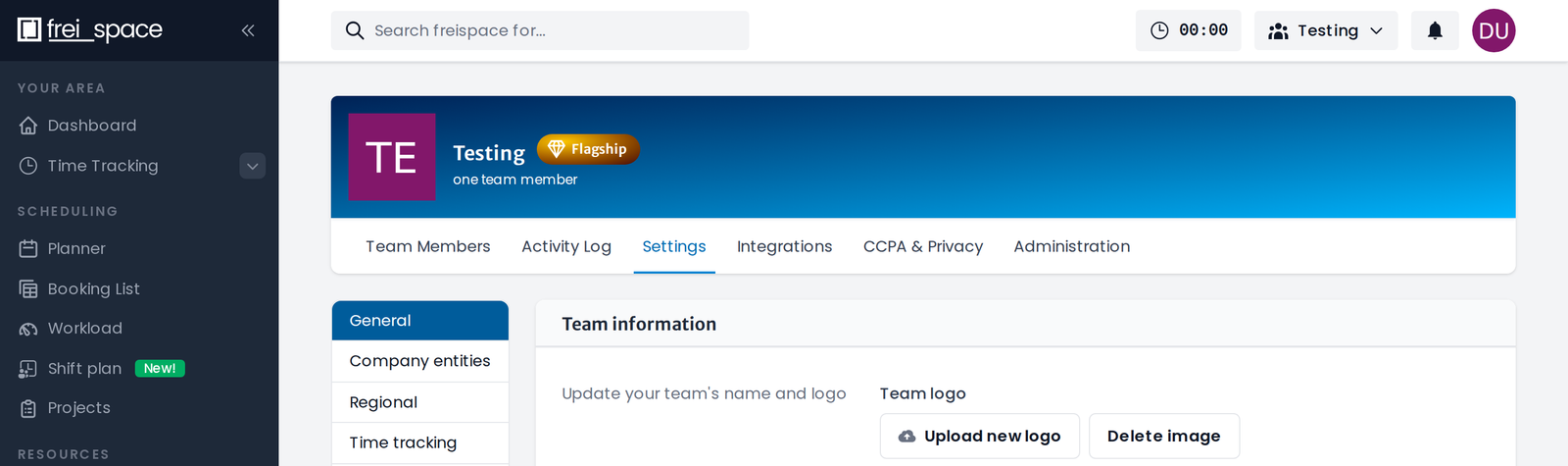
The Settings tab has its own sub-navigation on the left:
- General: Team name and logo, plus your base business settings: internal work hours (start/end of workday, break time) used when displaying working times in calendars, and team-wide time-unit definitions.
- Company entities: The legal companies that issue your quotes and invoices.
- Regional: Public holidays per region.
- Time tracking: Your activities and absence types.
- Bookings: Defaults for bookings and statuses.
- Billing: Invoicing settings such as tax rates, units and payment methods (see the Billing section).
- Customization: Team-wide custom fields and number sequences.
note
Most settings require an administrator role, see Roles & permissions.